Start here

Use these owned routes first when you want the clearest path into guides, next steps, and local markets.

Authoritative inventory

Advertising & Provider Info

Fixed inventory, contract-enforced pricing, and no pay-to-rank behavior.

Overview

We publish structured, location-specific industry guides and city resources designed to help users understand their options and connect with real providers serving their area.

Advertising on this platform is inventory-based, disclosed, and contract-enforced — not auction-driven, not pay-to-rank, and not cluttered with uncontrolled placements.

Sales page contract

This page is the authoritative inventory and pricing document. It is not an advertising surface and does not render sponsored placement blocks. Actual sponsored inventory appears only on eligible guide, city, state, and vertical-hub pages described below.

Calls to action on live pages

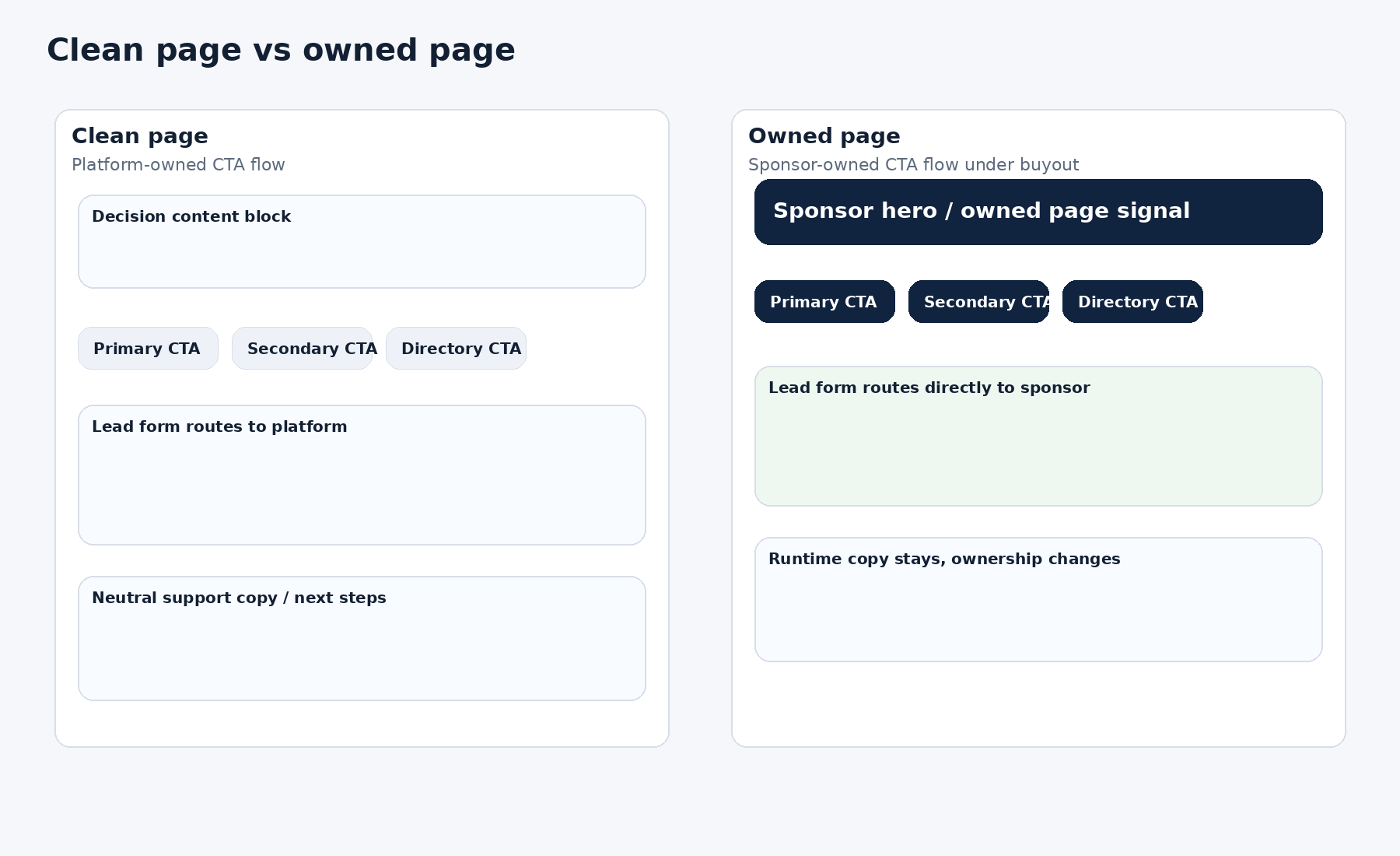
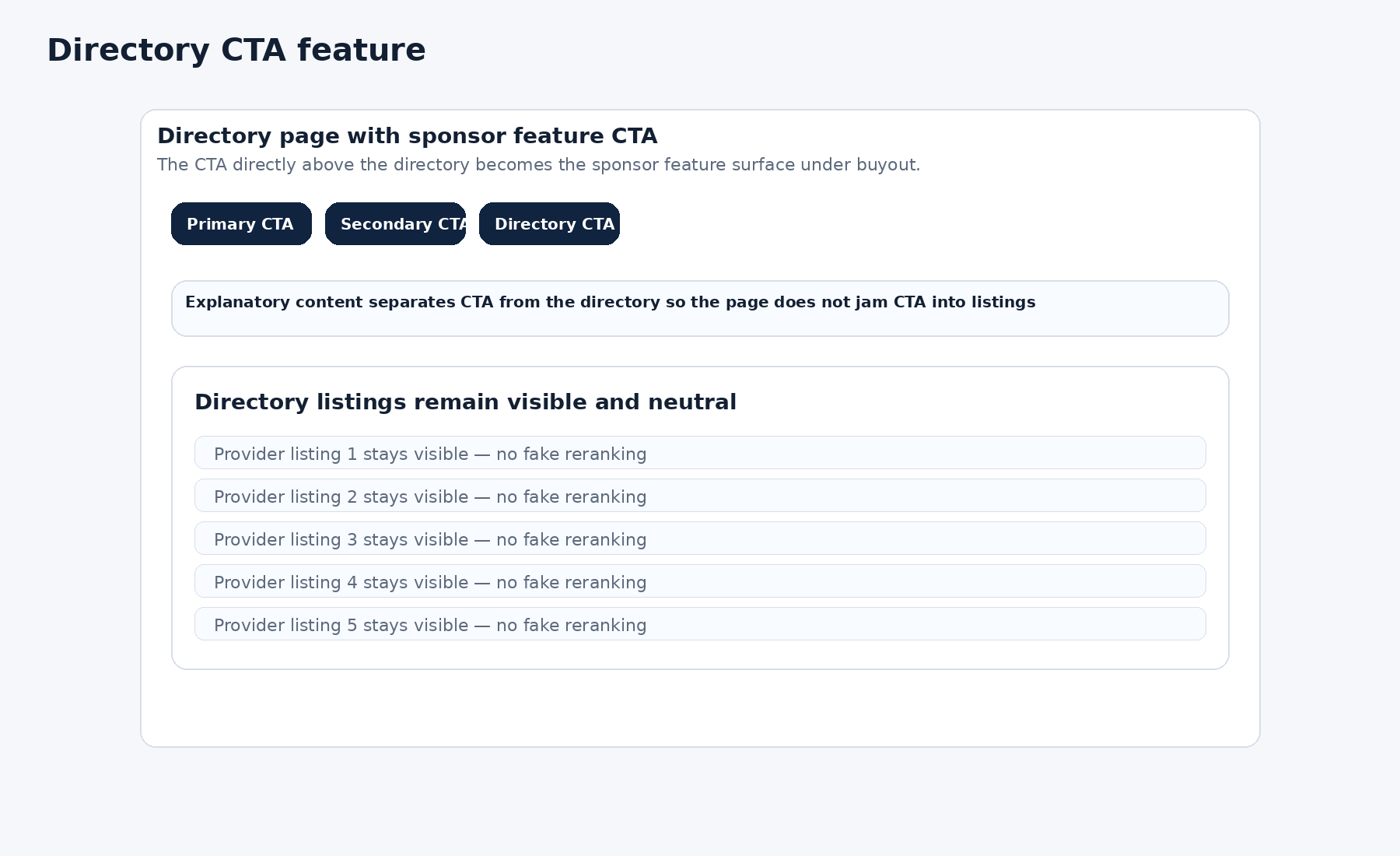
Each live page uses a three-CTA structure. These CTAs are part of the runtime page anatomy and may appear in different visual positions depending on page type, but the system is designed around three user action opportunities per page.

How sponsor-controlled conversion works

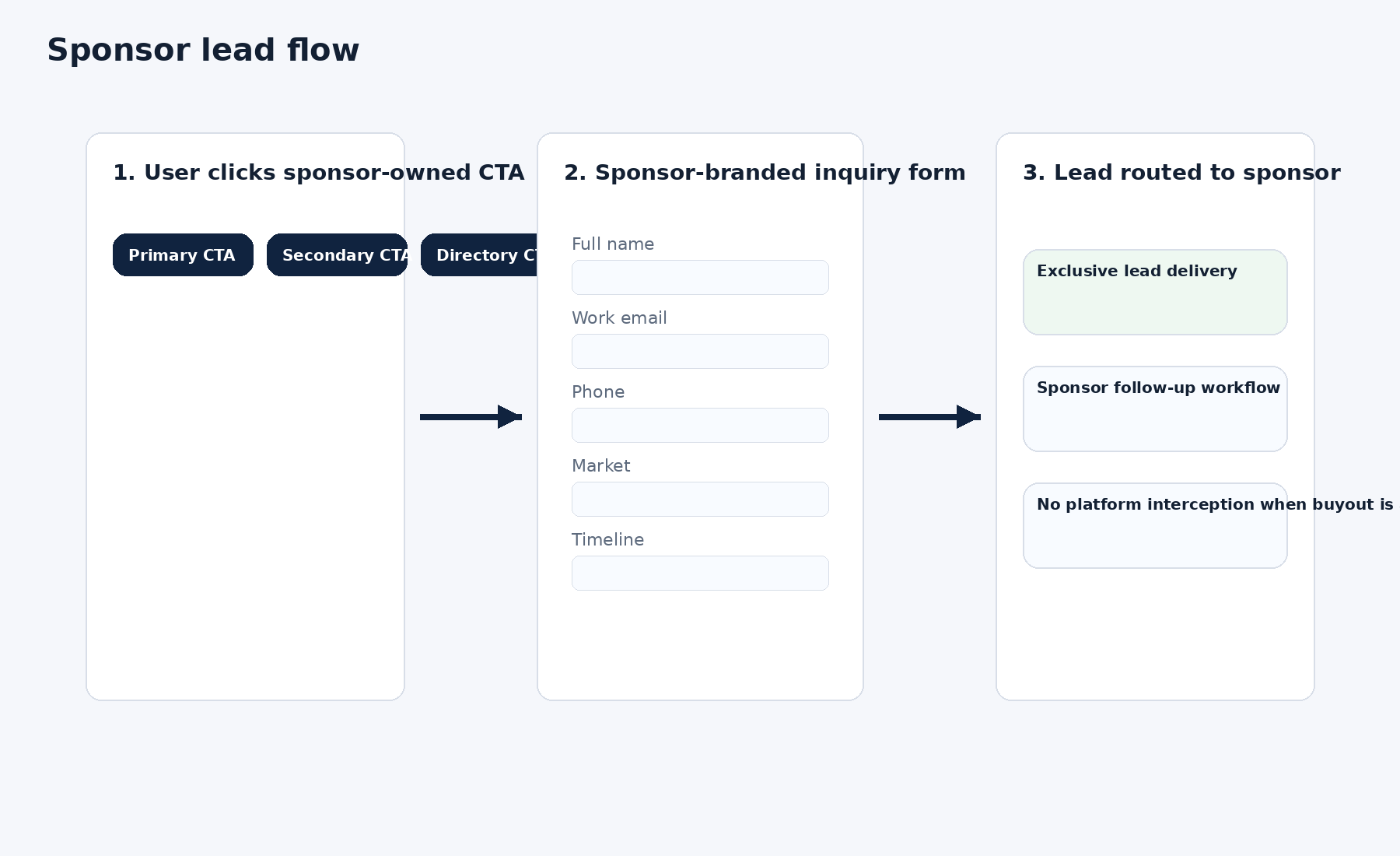
Sponsors do not control the educational content of the page. Sponsors control the conversion path that begins when a user enters the next-steps flow. The next-steps page is the primary conversion surface where sponsor routing, callback flow, and downstream contact logic are controlled.

What the page-level CTAs do

Page-level CTAs move users into the next-steps flow, request-assistance flow, or other approved action paths defined by the runtime contract. A paying sponsor does not take over the educational page itself by default; sponsor influence begins through the approved conversion surfaces that follow.

Contract authority

This page defines the public-facing monetization and placement contract. Runtime ad-slot behavior must match this page. Parity must be maintained by updating runtime to match the contract documented here, not by silently changing the documented sales surface after deployment.

Ad-slot placement by page type

These are the only placement surfaces that exist on the platform. They are fixed, validated, and enforced at build time. The /for-providers/ page itself is documentation only and never renders live sponsor blocks. If a placement would violate an active contract, the build hard-fails.

City pages

Guide pages

State pages

No additional runtime ad placements should exist unless they are added here first.

Hero position rule (buyouts): For Guide Buyout, City Buyout, and State Buyout, the top placement renders in a hero-style format rather than creating a new slot.

Shared placements: Shared placements are stacked and we do not state a hard cap on the number of shared sponsors.

Sponsorship tiers (monthly pricing + scope)

Guide — Shared Placement (Stacked) $2,500 / guide

  • Guide page: Top placement + Bottom (2 placements)
  • Shared (stacked): multiple sponsors may appear in these positions

Guide — Buyout (Exclusive) $5,000 / guide

  • Guide page: Top placement + Bottom (2 placements)
  • Exclusive: only your brand appears in these positions (subject to contract hierarchy rules)
  • Top placement renders hero-style

City — Shared Placement (Stacked) $2,500 / city

  • City page: Top placement + Middle + Bottom (3 placements)
  • Shared (stacked): multiple sponsors may appear in these positions

City — Buyout (Exclusive) $5,000 / city

  • City page: Top placement + Middle + Bottom (3 placements)
  • Exclusive: only your brand appears in these positions (subject to contract hierarchy rules)
  • Top placement renders hero-style

State Buyout (PI only) $30,000 / state

  • State hub: Top (hero position) + Middle (2 placements)
  • Cumulative coverage across all covered city pages in the state
  • Expansion right: You have the right to add additional cities within the same state upon request as we expand coverage (most states begin with at least two major metro areas). Added cities become part of the state buyout coverage under the same state contract, subject to hierarchy/conflict rules.
  • Top placement renders hero-style

Vertical Pack (total website) Buyout $75,000

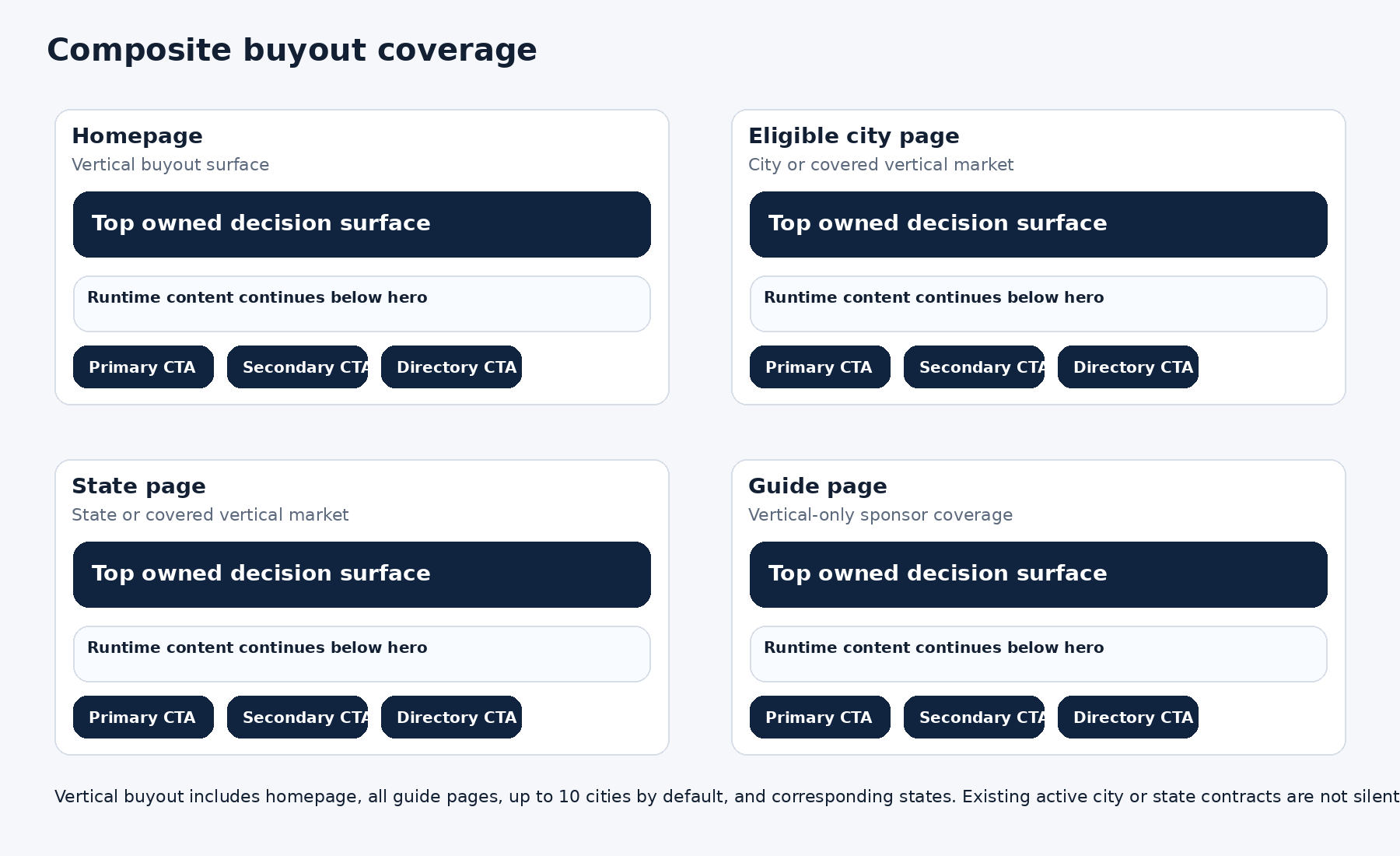
  • Includes vertical hub hero, plus eligible pages across the vertical (subject to contract hierarchy rules)
  • Enables the Vertical Buyout runtime “Next Steps” CTA on eligible pages (below)

What slots look like (visual)

These visuals represent real inventory surfaces. Sponsors are stacked within a placement (static), not side-by-side, and not rotating.

Guide page

Local Guides Guide Page How to Choose a Provider Top + Bottom placements • static stacked sponsors • no hero unless buyout TOP PLACEMENT A Sponsor A Top placement • static B Sponsor B Top placement • static C Sponsor C Top placement • static BOTTOM PLACEMENT A Sponsor A Bottom placement • static B Sponsor B Bottom placement • static C Sponsor C Bottom placement • static

Buyout note: A buyout makes this surface exclusive—your brand does not share ad slots. The top placement upgrades into a hero-style header position for the covered scope, subject to contract hierarchy.

City page

Local City City Page Providers in Austin, TX Top / Middle / Bottom placements • static stacked sponsors • content between placements TOP PLACEMENT A Sponsor A B Sponsor B C Sponsor C Editorial content MIDDLE PLACEMENT A Sponsor A B Sponsor B C Sponsor C More content BOTTOM PLACEMENT A Sponsor A B Sponsor B C Sponsor C

Buyout note: A buyout makes this surface exclusive—your brand does not share ad slots. The top placement upgrades into a hero-style header position for the covered scope, subject to contract hierarchy.

STATE PAGE

Local States State Texas — State Hub Personal Injury vertical only • intrinsic buyout • 2 slots (Hero + Middle) • single sponsor TOP SLOT → HERO HEADER POSITION (INTRINSIC BUYOUT) Exclusive State Partner One sponsor only • no shared slots • no Next Steps runtime button on state pages A Sponsor A • Exclusive Editorial content MIDDLE PLACEMENT A Sponsor A • Exclusive middle placement

Buyout note: A buyout makes this surface exclusive—your brand does not share ad slots. The top placement upgrades into a hero-style header position for the covered scope, subject to contract hierarchy.

Industry Vertical Home Page (Hero Position)

Local Vertical Hubs Vertical Hub Industry Vertical Home Page (Hero Position) Requires vertical buyout • hero includes Next Steps runtime CTA button VERTICAL BUYOUT Review the local next-step guide before choosing a provider. Vertical buyout active • runtime “Next Steps” CTA appears on eligible pages View next steps Editorial content

Buyout note: A buyout makes this surface exclusive—your brand does not share ad slots. The top placement upgrades into a hero-style header position for the covered scope, subject to contract hierarchy.

Vertical Buyout Runtime “Next Steps” Mechanism

When a vertical buyout is active, eligible pages display a runtime “Next Steps” CTA. Locked CTA copy: “Review the local next-step guide before choosing a provider.”

Locked CTA copy (vertical buyout only): Review the local next-step guide before choosing a provider.

Runtime on a Guide Page (CTA appears)

Guide Page Runtime CTA Runtime on a Guide Page (CTA appears) When a vertical buyout is active, eligible pages display a runtime CTA. NEXT STEPS Review the local next-step guide before choosing a provider. Vertical buyout active • runtime CTA appears on this guide page View next steps Editorial content

Runtime note: When a vertical buyout is active, eligible pages display a runtime “Next Steps” CTA. Locked CTA copy: “Review the local next-step guide before choosing a provider.”

Runtime on a City Page (CTA appears)

City Page Runtime CTA Runtime on a City Page (CTA appears) When a vertical buyout is active, eligible pages display a runtime CTA. NEXT STEPS Review the local next-step guide before choosing a provider. Vertical buyout active • runtime CTA appears on this city page View next steps City content

Runtime note: When a vertical buyout is active, eligible pages display a runtime “Next Steps” CTA. Locked CTA copy: “Review the local next-step guide before choosing a provider.”

Runtime on a State Page (CTA appears)

State Page Runtime CTA Runtime on a State Page (CTA appears) When a vertical buyout is active, eligible pages display a runtime CTA. NEXT STEPS Review the local next-step guide before choosing a provider. Vertical buyout active • runtime CTA appears on this state page View next steps State content

Runtime note: When a vertical buyout is active, eligible pages display a runtime “Next Steps” CTA. Locked CTA copy: “Review the local next-step guide before choosing a provider.”

Runtime on the Vertical Hub (CTA appears)

Vertical Hub Runtime CTA Runtime on the Vertical Hub (CTA appears) With a vertical buyout active, the hub displays a hero CTA. NEXT STEPS Review the local next-step guide before choosing a provider. Vertical buyout active • runtime CTA appears on the hub hero View next steps Editorial content

Runtime note: When a vertical buyout is active, eligible pages display a runtime “Next Steps” CTA. Locked CTA copy: “Review the local next-step guide before choosing a provider.”

Start a sponsorship inquiry

If you have a target city/state/guide or want to discuss a vertical pack buyout, use the inquiry button below.

Related search pathsAdditional owned routes for this topic

These routes support fanout/query coverage and keep owned paths visible, but they are intentionally secondary to the main framework and next-step flow.